Creating a cozy and inviting home workspace is essential for maintaining focus, comfort, and productivity throughout the day. Whether you work remotely full-time or occasionally need a quiet spot at home, designing a space where you feel relaxed and motivated can make all the difference. Here are some practical tips to help you transform your workspace into a comfortable and welcoming environment.
1. Choose the Right Location
Find a Quiet Spot
Selecting a quiet area free from distractions helps improve concentration. If possible, avoid high-traffic areas such as the living room or kitchen.
Consider Natural Light
Natural light can enhance mood and energy levels. Position your desk near a window, but make sure the sunlight doesn’t cause glare on your computer screen.
Make Use of Existing Space
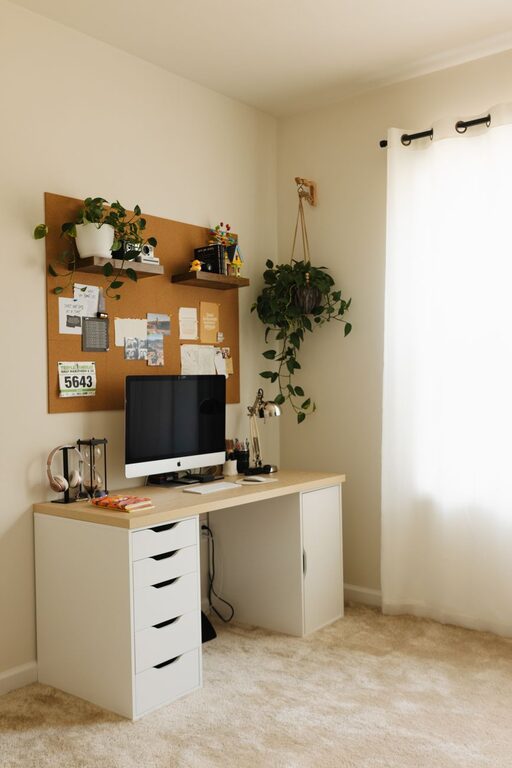
You don’t need a large room to create a workspace. Even a small corner or nook can become an effective office area with the right layout.
2. Invest in Comfortable Furniture
Ergonomic Chair
A comfortable, adjustable chair that supports your back is crucial for long hours of work. Ergonomic features help reduce strain and keep you comfortable.
Functional Desk
Pick a desk that fits your available space and meets your needs. It should be large enough to hold your computer, notebooks, and any other essentials without feeling cluttered.
Consider a Standing Desk Option
For some, alternating between sitting and standing improves comfort and posture. Adjustable desks or standing desk converters offer flexibility.
3. Personalize Your Workspace
Add Soft Textures
Items like cushions, throw blankets, or an area rug can make your workspace feel warmer and more inviting.
Incorporate Your Favorite Colors
Use colors that make you feel calm or energized, whether in paint, decor, or accessories. Soft blues and greens tend to be soothing, while yellows can add energy.
Display Meaningful Items
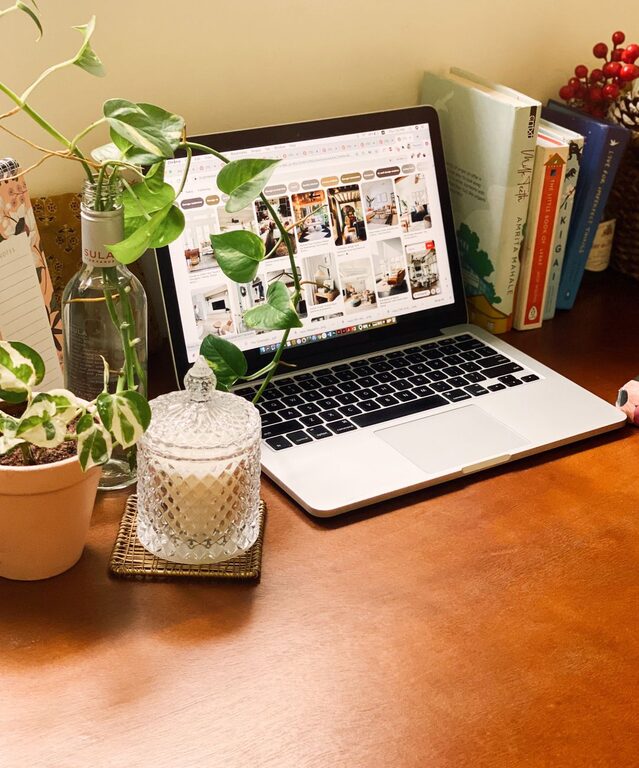
Photos, plants, or art that inspire you can boost morale and make your space uniquely yours.
4. Keep Your Workspace Well-Organized
Use Storage Solutions
Desk organizers, shelves, and filing cabinets help keep paperwork, supplies, and gadgets neat and easily accessible.
Declutter Regularly
A tidy workspace promotes focus. Set aside a few minutes daily or weekly to clear unnecessary items and maintain order.
Manage Cords and Cables
Use cable organizers or clips to keep cords from tangling and creating visual clutter around your equipment.
5. Control Lighting and Ambiance
Layer Your Lighting
Besides natural light, use task lighting like desk lamps to reduce eye strain. Consider soft, adjustable lighting for comfort during late hours.
Reduce Noise Distractions
If your workspace is noisy, consider noise-canceling headphones or soft background music to maintain focus.
Add a Touch of Nature
Plants not only improve air quality but can make your workspace feel more peaceful and inviting. Low-maintenance plants like succulents or pothos are good options.
6. Maintain Healthy Habits
Organize Breaks
Incorporate short breaks into your workday to stretch or walk around. This helps reduce fatigue and improves overall well-being.
Stay Hydrated and Nourished
Keep a water bottle nearby and have healthy snacks handy to maintain energy levels.
7. Utilize Technology Thoughtfully
Optimize Your Screen and Keyboard
Arrange your monitor at eye level to avoid neck strain. Choose keyboards and mice that are comfortable to use.
Reduce Digital Clutter
Organize your digital files and use productivity tools to keep tasks manageable and reduce stress.
—
By implementing these tips, you can create a home workspace that feels cozy, inviting, and highly functional. Personalizing your space while prioritizing comfort and organization will help you stay motivated and productive, making your work-from-home experience more enjoyable.
About the Author